AI and Augmentation
Exploring the opposite of vibe coding

Back in July, the inimitable SoTA and Workshop Labs hosted a hackathon on Human Augmentation. The theme was to build tools that use AI to augment human capacity rather than automate us out of the economy. I was very excited since it gave me the perfect excuse to prototype something I’d been thinking about for a while.
I made a desktop app called Grant, which I pitched as the ‘anti-Cursor’ — the AI never does anything for you but forces you to learn, understand and do things yourself. I was proud to manage an honorable mention for it, SoTA’s hacks are pretty competitive!
At its core, the concept was based on inversion. Often you can invert a paradigm, for no good reason at all, and still end up with something interesting and useful. I wanted to invert the ‘AI as assistant’ paradigm with its opposite: ‘AI as guide’ or ‘AI as mentor’ and see what’d happen.
Here’s a feel for how either of them respond to the same query:
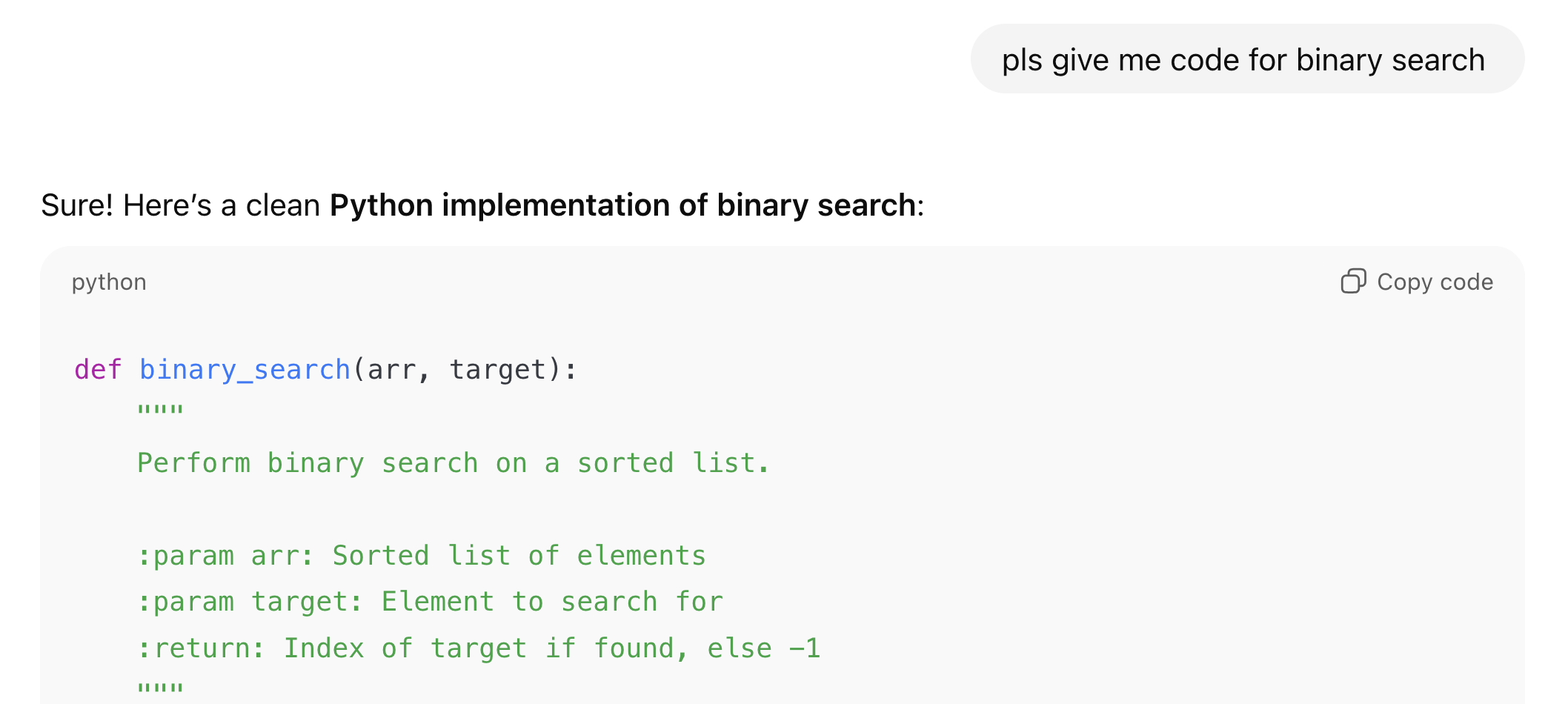
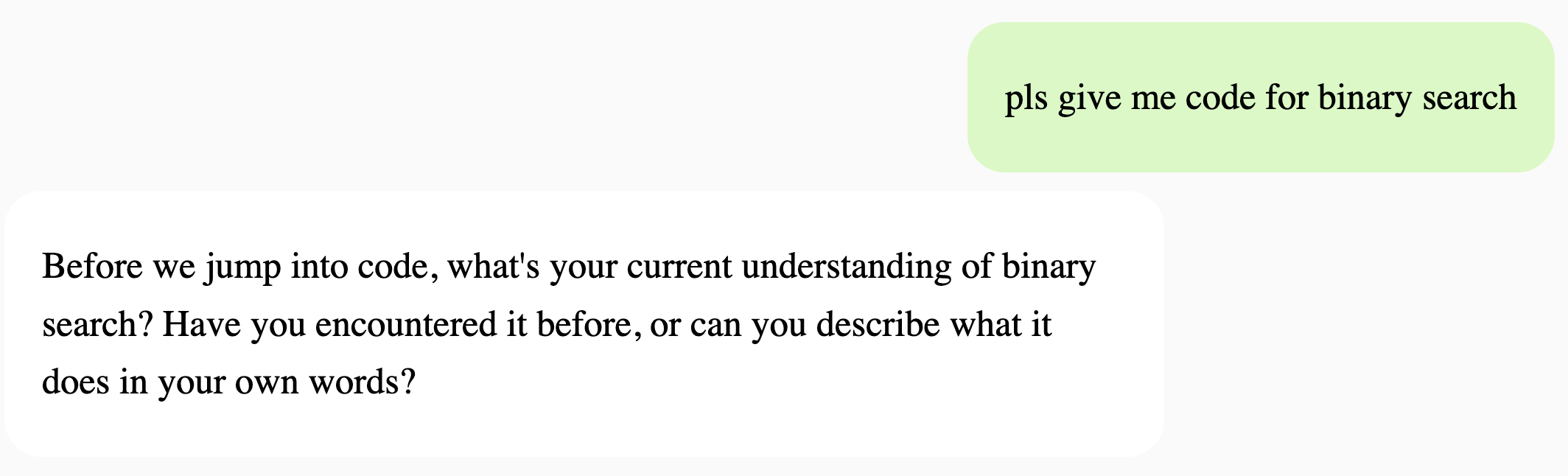
Having used the AI this way, the effects seem flipped when compared with using the AI as an assistant. Instead of switching off your brain and just checking the vibe of the response, you’re forced to engage deeply with what you’re trying to do. Every session is cognitively demanding and gets you in the mode of you and the AI constantly questioning each other. It feels like a great dynamic for understanding things deeply.
An app like this relies heavily on the system prompt, and I’ve incorporated what I’ve found to be good for learning and understanding in the past. These are:
Explaining the concept in your own words
Solving small test problems, if appropriate
Drawing a diagram of the system, including the different components and the processes involved
Reflecting on or rating your level of understanding of a concept
Apart from the system prompt, the one other ‘feature’ that also helps is not being able to copy anything from the AI’s response. Even when you get to the stage where it might spit out code or some answer, you’re forced to type it up yourself. Although, it’s still possible to ‘zone out’ and type things up from a reference. I didn’t want to push it further, else it becomes too tedious to use.
I’d originally envisioned having a ‘chat tab’ and a ‘reader tab’, but only managed to finish the chat tab to a satisfying degree. The reader tab was too undercooked, so I ended up commenting it out.
Here’s a glimpse of that unfinished Reader tab:
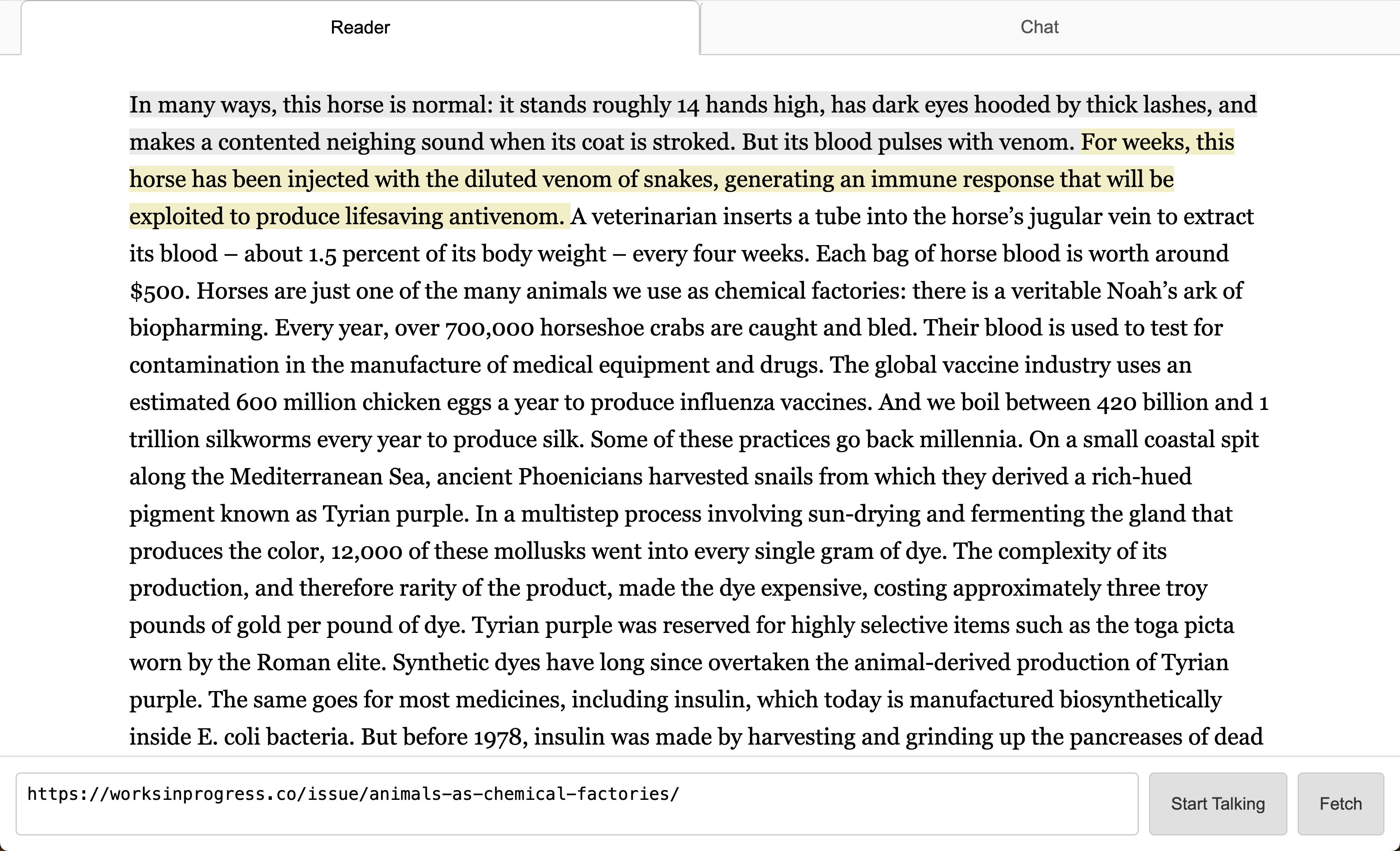
The reader tab was supposed to follow a similar philosophy and augment reading by having the AI ask you tons of questions about what you’ve read - starting by asking you to summarize and then drilling deeper. You could also ask the AI to read an article out to you, interrupt it for clarification, skip forward or backward to whichever line you wanted to listen from etc. Reading and programming are two of the main things I do, so it felt natural to have these 2 tabs.
The biggest issue with the app is that it blindly grills you from the basics of a topic every time, which is tedious when you’ve covered it already and want to move onto doing things. Yet it lacks any smart repetition feature, which is important for learning and retaining information. But adding such a feature would only make the core issue worse: how to balance learning mode with doing mode ?
I might just include a switch to toggle between them, without thinking too much about the user’s discipline!
If you found any of this interesting and want to chat, feel free to reach out over Substack or X. And if you’re curious, give Grant a spin and let me know what you think.